

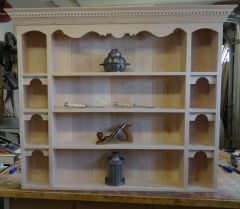

Photo Submitted by our Customer
.thumb.jpg.573d1497d0675219908c85aabefd797a.jpg)
By John Morris
- 1,656 views
- View John Morris's images
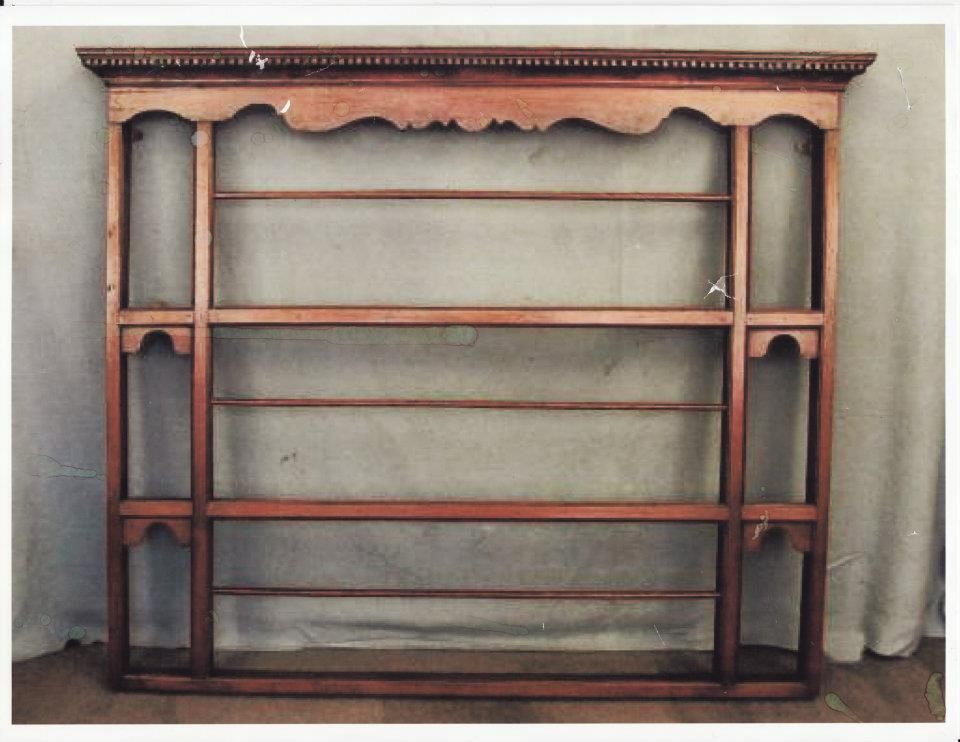
This image was supplied by our customer, he wanted us to capture the feel of this 18th Century English China Shelf. He saw the shelf at auction, the auction was taking place in Europe, but he thoughtfully realized that the cost of the shelf, including shipping to the states, was getting a tad high, so he sought us out as we had done work for him in the past, and thought of us as his builder. And we are glad he did, we had a blast making it.
I used the image to scale the shelf, considering his desire to make it 48" wide by 40" tall, I was able to scale it out on grid paper and duplicate much of the details and the proportions.
Copyright
© Courtland Woodworks
Recommended Comments
Join the conversation
You can post now and register later. If you have an account, sign in now to post with your account.
Note: Your post will require moderator approval before it will be visible.