Skip to content
View in the app

A better way to browse. Learn more.

The Patriot Woodworker

A full-screen app on your home screen with push notifications, badges and more.

To install this app on iOS and iPadOS
  1. Tap the Share icon in Safari
  2. Scroll the menu and tap Add to Home Screen.
  3. Tap Add in the top-right corner.
To install this app on Android
  1. Tap the 3-dot menu (⋮) in the top-right corner of the browser.
  2. Tap Add to Home screen or Install app.
  3. Confirm by tapping Install.
A blog by Gerald in General
  • Entries

    2
  • Comments

    11
  • Views

    5,629

About this blog

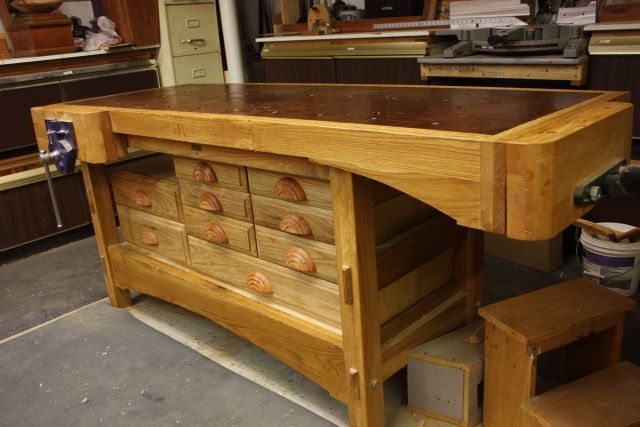
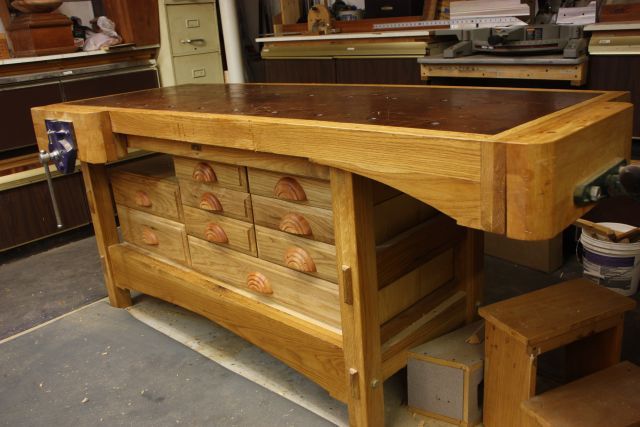
From  design to assembly of a heavy workbench.

Entries in this blog

I really thought I had finished this post and discovered today that was not the case . So here goes. Now the lumber was finally here and cutting parts to size and glue up for thicker parts begins.                       These wider pieces were real fun doing the glue up on. Kinda like holding a snake who wants to run. The next photo is the legs. Note I used a waxed spacer to keep the slots open and spaced properly for end cross sup
Gerald
Where to start is to determine just what do you want to use the bench for. At the time for me it was flatwork and planing. I looked at many plans and decided on parts of several. Not sure where each part came from but the contributing plans were in Wood Magazine, Shop Notes and Popular Mechanics.   I started with the vices. Both are Lee Valley and maybe even paid full price. They are both front vices but one is mounted on the end. Next is to decide on the wood. I wanted White Oak and i
Gerald

Account

Navigation

Search

Search

Configure browser push notifications

Chrome (Android)
  1. Tap the lock icon next to the address bar.
  2. Tap Permissions → Notifications.
  3. Adjust your preference.
Chrome (Desktop)
  1. Click the padlock icon in the address bar.
  2. Select Site settings.
  3. Find Notifications and adjust your preference.