Skip to content
View in the app

A better way to browse. Learn more.

The Patriot Woodworker

A full-screen app on your home screen with push notifications, badges and more.

To install this app on iOS and iPadOS
  1. Tap the Share icon in Safari
  2. Scroll the menu and tap Add to Home Screen.
  3. Tap Add in the top-right corner.
To install this app on Android
  1. Tap the 3-dot menu (⋮) in the top-right corner of the browser.
  2. Tap Add to Home screen or Install app.
  3. Confirm by tapping Install.
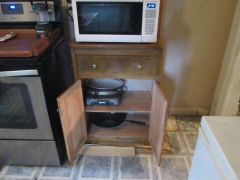
Microwave Stand

Microwave Stand

Album created by steven newman · Updated

Fancy grained White oak.   The Boss thought about buying a FlatPack thingy....figured I could build one a lot better.  Weathered Oak Stain, then a couple coats of Amber Shellac....a 10 day build.

Cal Grand Master

Cal

Members

That sure came out nice Steve, I am sure the boss likes it - right?

steven newman Grand Master

steven newman

Members

LOVES IT!

Fred W. Hargis Jr Grand Master

Fred W. Hargis Jr

Members

You really did well, very nice!

Join the conversation

You can post now and register later. If you have an account, sign in now to post with your account.
Note: Your post will require moderator approval before it will be visible.

Guest
Add a comment...

Gallery Statistics

  • Images 3.3k
  • Comments 3.2k
  • Albums 352

Account

Navigation

Search

Search

Configure browser push notifications

Chrome (Android)
  1. Tap the lock icon next to the address bar.
  2. Tap Permissions → Notifications.
  3. Adjust your preference.
Chrome (Desktop)
  1. Click the padlock icon in the address bar.
  2. Select Site settings.
  3. Find Notifications and adjust your preference.