


2018 TPW Gathering
Album created by
Ron Dudelston ·
Updated
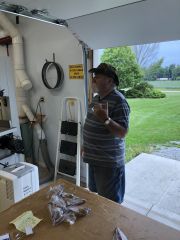
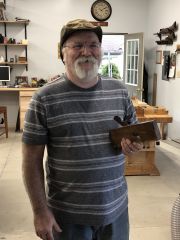
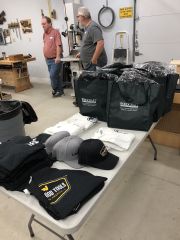
On Saturday, August 25th, Patriot Woodworker Fred Hargis hosted a meet and greet in his new shop in Wapakoneta, Ohio. These are pictures from that day. In attendance were Our host Fred Hargis, Ducksoup (Bob Prochak), Michael Thuman, The Bandit (Steve Newman), GrandpaDave (Dave Zimmerman), kmealy (Keith Mealy), Irish Woodcarver and his wife (Bob and Louann Phelan) and Patriot Woodworker Administrator Ron Dudelston. HandyDan (Dan Hunkele) was there in spirit and donated gifts and TPW Administrator John Moody joined via FaceTime.
We would like to thank our sponsors Woodcraft, Laguna Tools, and Easy Wood Tools for their generous donations of door prizes and take home gifts.
- 32 images
- 2 album comments
- 24 image comments
- 1,280 views
-
-
 4
4
-
 1
1
-
32 images
-
By Ron Dudelston · 1 comment
-
By Ron Dudelston · 2 comments
-
By Ron Dudelston
-
By Ron Dudelston · 3 comments
-
By Ron Dudelston
-
By Ron Dudelston
-
By Ron Dudelston · 1 comment
-
By Ron Dudelston · 1 comment
-
By Ron Dudelston
-
By Ron Dudelston
-
By Ron Dudelston
-
By Ron Dudelston
-
By Ron Dudelston
-
By Ron Dudelston
-
By Ron Dudelston
-
By Ron Dudelston
-
By Ron Dudelston
-
By Ron Dudelston
-
By Ron Dudelston · 5 comments
-
By Ron Dudelston · 3 comments
-
By Ron Dudelston · 1 comment
-
By Ron Dudelston · 1 comment
-
By Ron Dudelston · 3 comments
-
By Ron Dudelston · 1 comment
-
By Ron Dudelston
-
By Ron Dudelston
-
By Ron Dudelston
-
By Ron Dudelston
-
By Ron Dudelston
-
By Ron Dudelston
-
By Ron Dudelston
-
By Ron Dudelston · 2 comments






Gallery Statistics
- Images 3.3k
- Comments 3.2k
- Albums 352
2 Album Comments
Join the conversation
You are posting as a guest. If you have an account, sign in now to post with your account.
Note: Your post will require moderator approval before it will be visible.