Skip to content
View in the app

A better way to browse. Learn more.

The Patriot Woodworker

A full-screen app on your home screen with push notifications, badges and more.

To install this app on iOS and iPadOS
  1. Tap the Share icon in Safari
  2. Scroll the menu and tap Add to Home Screen.
  3. Tap Add in the top-right corner.
To install this app on Android
  1. Tap the 3-dot menu (⋮) in the top-right corner of the browser.
  2. Tap Add to Home screen or Install app.
  3. Confirm by tapping Install.
Supporting Our Service Members
We proudly stand with all United States service members in Operation Epic Fury and those deployed around the world. Your sacrifice, courage, and dedication are deeply respected and never forgotten.

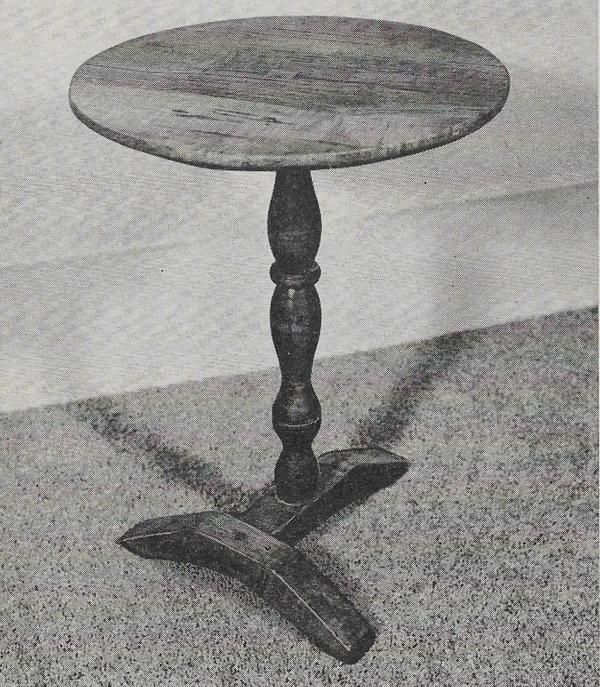
Workbench Magazine July-August 1967 T-Base Candle Stand 1.0.0

1 Screenshot

This is a scanned document of the now defunct Workbench Magazine of this era. Permission was granted by the new Workbench Publication for The Patriot Woodworker community to copy and use the old Workbench Magazine at our pleasure, and for free distribution and re-use.


Quote

Here’s your chance to make a true copy of a genuine, and comparatively rare, antique which could well be a couple of hundred years old. It’s rarely possible to fix with any degree of certainty the precise age of a piece obviously so very old, but the T-base stand is generally thought to have originated in the early or middle 1700's.

Source: Workbench Magazine July-August 1967


User Feedback

Recommended Comments

There are no comments to display.

Join the conversation

You can post now and register later. If you have an account, sign in now to post with your account.
Note: Your post will require moderator approval before it will be visible.

Guest
Add a comment...

Account

Navigation

Search

Search

Configure browser push notifications

Chrome (Android)
  1. Tap the lock icon next to the address bar.
  2. Tap Permissions → Notifications.
  3. Adjust your preference.
Chrome (Desktop)
  1. Click the padlock icon in the address bar.
  2. Select Site settings.
  3. Find Notifications and adjust your preference.