


Patriot Woodworker Community Fundraiser 2025
Album created by
John Morris ·
Updated
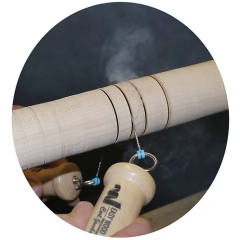
Thank you to our sponsors Easy Wood Tools and Woodcraft for their support in this annual fundraiser that supports our community directly, by helping us to keep the lights on, the technology purring, and our community lively so we can keep on our mission of helping our active duty and veterans US military service members.
For more information how you can help us stay live, please visit:
8 images
-
By John Morris
-
By John Morris
-
By John Morris
-
By John Morris
-
By John Morris
-
By John Morris
-
By John Morris
-
By John Morris


EasyWoodTools.png.2eabb2a68536efe42bbefc2e8156d213.png)
EasyWoodTools.png.8d54620192b51ab92e8bd5f0bd5f8b4d.png)


Gallery Statistics
- Images 3.3k
- Comments 3.2k
- Albums 352
0 Album Comments
There are no comments to display.
Join the conversation
You can post now and register later. If you have an account, sign in now to post with your account.
Note: Your post will require moderator approval before it will be visible.