


Veterans Pens and Case
Album created by
awardsr1 ·
Updated
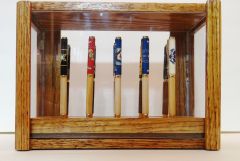
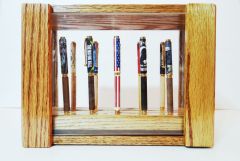
A set of 10 Pens I built for the VA Art Fair in 2015 at Hines Hospital.
It came about as a result of working on and in memorial for the Traveling Wall that was here in Berwyn, Ill last summer.
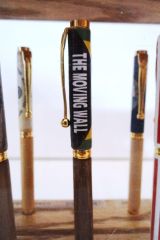
on one side are 5 pens showing from the middle the American Flag, POW/MIA Flag Moving Wall Flag, Battlefield Cross, and the Three soldiers.
On the other side are 5 flags representing the Branches of Service Army, Marine Corp, Navy, Air Force and Coast Guard.
It came about as a result of working on and in memorial for the Traveling Wall that was here in Berwyn, Ill last summer.
on one side are 5 pens showing from the middle the American Flag, POW/MIA Flag Moving Wall Flag, Battlefield Cross, and the Three soldiers.
On the other side are 5 flags representing the Branches of Service Army, Marine Corp, Navy, Air Force and Coast Guard.
3 images
-
By awardsr1 · 2 comments
-
By awardsr1 · 1 comment
-
By awardsr1 · 1 comment
Gallery Statistics
- Images 3.3k
- Comments 3.2k
- Albums 352
0 Album Comments
There are no comments to display.
Join the conversation
You are posting as a guest. If you have an account, sign in now to post with your account.
Note: Your post will require moderator approval before it will be visible.