Skip to content
View in the app

A better way to browse. Learn more.

The Patriot Woodworker

A full-screen app on your home screen with push notifications, badges and more.

To install this app on iOS and iPadOS
  1. Tap the Share icon in Safari
  2. Scroll the menu and tap Add to Home Screen.
  3. Tap Add in the top-right corner.
To install this app on Android
  1. Tap the 3-dot menu (⋮) in the top-right corner of the browser.
  2. Tap Add to Home screen or Install app.
  3. Confirm by tapping Install.

Latest Innovation from Lee Valley Veritas
Featured Replies

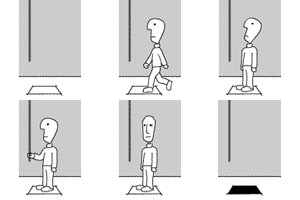
I'm excited because they offer a left hand version plus eliminated blade chatter. Order now. These will sell out quick.


Lee Valley Lastest Veritas

:throbbinghead::ROFL::throbbinghead::ROFL::throbbinghead::ROFL::throbbinghead::ROFL:


It's so good to see their 4/1 offerings back again!

Love the diagnostic photos, for those of us who don't read the manual (or know how to use the QR code to bring it up online).

  • Author
9 minutes ago, Fred W. Hargis Jr said:

It's so good to see their 4/1 offerings back again!

It certainly is Fred. Great to know their Engineering Department has found time again bringing to market the most innovative designs on an annual basis.:P

Yes good to see it back. Always good for a chuckle

Join the conversation

You can post now and register later. If you have an account, sign in now to post with your account.
Note: Your post will require moderator approval before it will be visible.

Guest
Reply to this topic...

Recently Browsing 0

  • No registered users viewing this page.

Account

Navigation

Search

Search

Configure browser push notifications

Chrome (Android)
  1. Tap the lock icon next to the address bar.
  2. Tap Permissions → Notifications.
  3. Adjust your preference.
Chrome (Desktop)
  1. Click the padlock icon in the address bar.
  2. Select Site settings.
  3. Find Notifications and adjust your preference.